Game Replays
Watch the Games Unfold
Step through each game as the model played it. Use the controls to navigate, or hit play for an auto-advancing slideshow.
Game 1
💥 Lost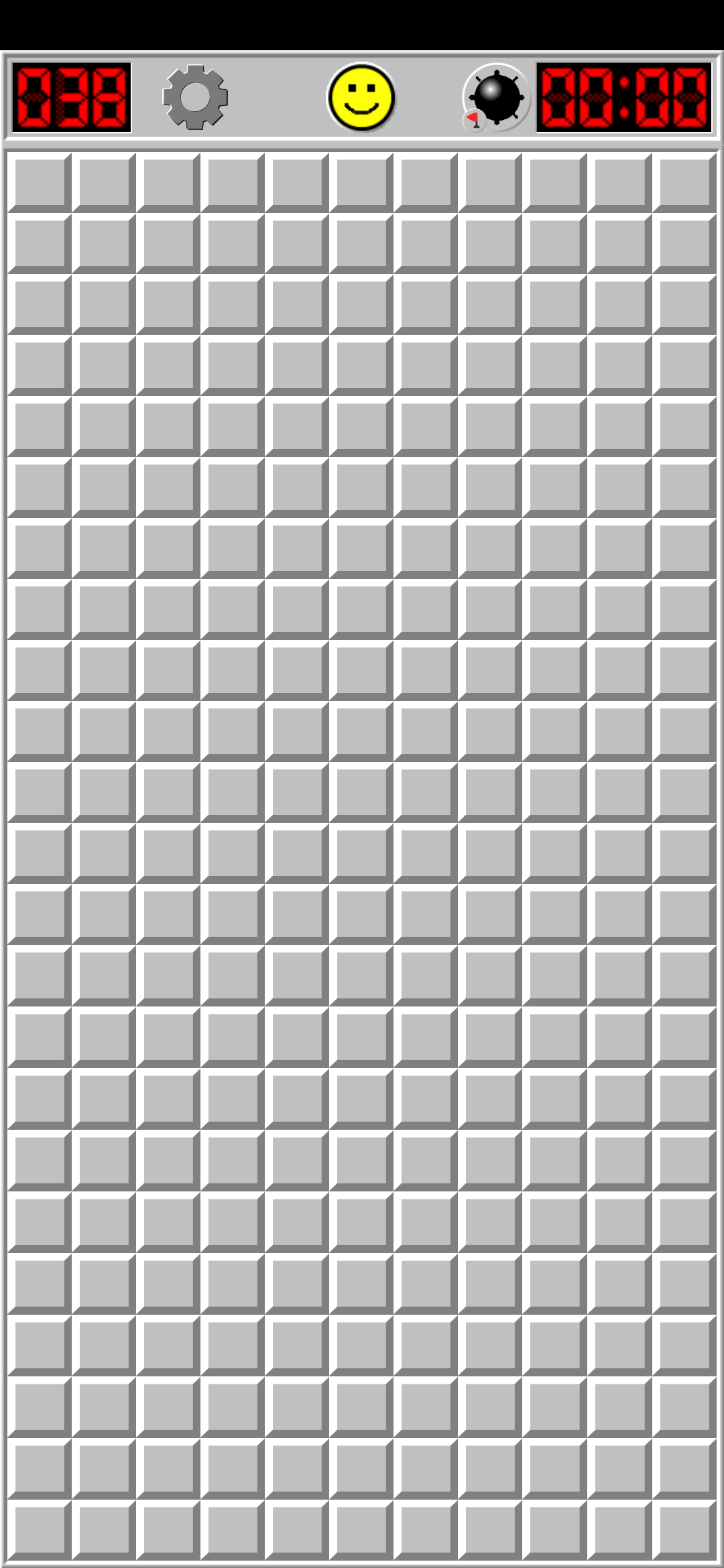
▶ AUTO
0 / 18
Game 2
💥 Lost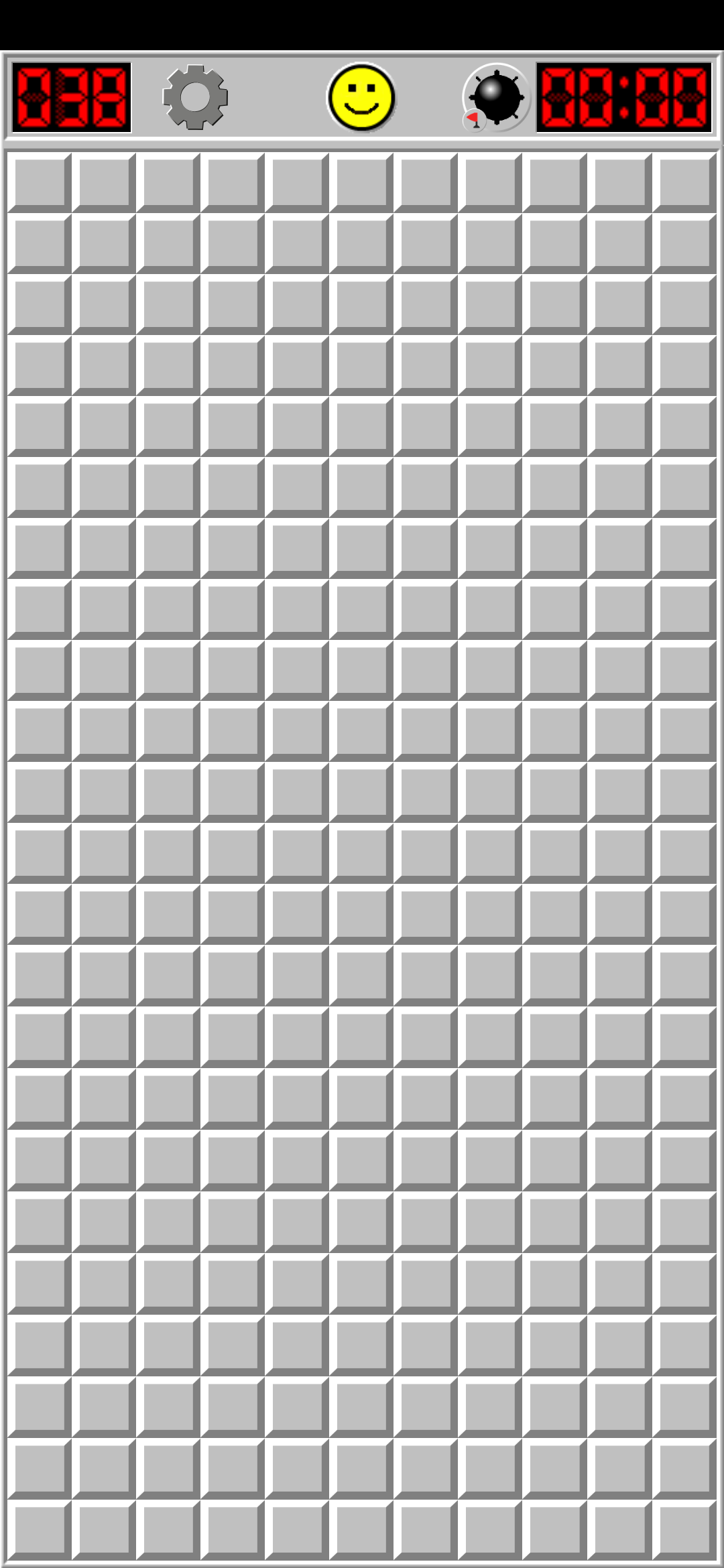
▶ AUTO
0 / 16
Game 3
💥 Lost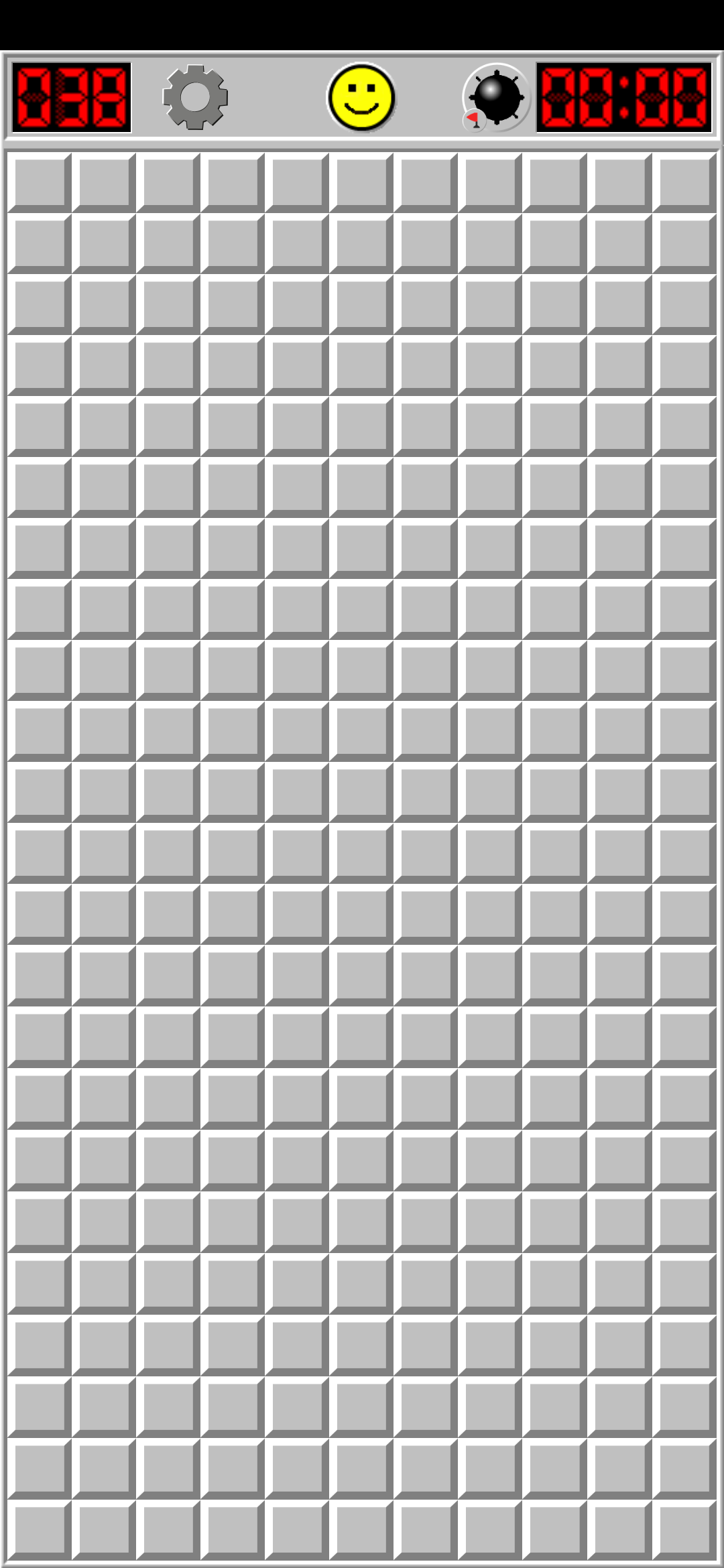
▶ AUTO
0 / 12
Step through each game as the model played it. Use the controls to navigate, or hit play for an auto-advancing slideshow.
Building on the success of the LLM Chess Evaluation — where Gemini 3.5 Flash demonstrated an estimated Elo of ~1900, competing with GPT-5.5 at a fraction of the cost — we wanted to explore whether these capabilities extend to spatial reasoning tasks on real mobile devices.
The harness establishes a closed-loop control system between the LLM and a real Android device. Here's the technology stack that makes it possible.
Each step in the game follows a deterministic loop: capture → overlay → reason → act → wait → repeat.
The experiment iterated through three distinct architectures, each progressively giving the model more agency and better tools.
A two-model pipeline: the first model (vision) analyzed the screen and extracted coordinates, then passed them to a second model (reasoning) to decide the next move. Complete failure — the reasoning agent couldn't interpret coordinates or understand the game state passed to it from the vision agent.
Following the chess harness pattern: a single vision model receives the full screen and outputs structured JSON describing its next move. The model could engage with the game but still struggled with accurately mapping visual positions to precise coordinates without spatial reference aids.
The final architecture: a single vision model with
explicit tools (tap,
long_press, zoom_in,
zoom_out) — each with an optional
reason parameter for the model to
explain its logic — plus a coordinate grid overlay
on every screenshot.
This was the only approach that actually got the
model playing
— though it still lost every game.
Two different Minesweeper app UIs were tested. The model's performance was highly sensitive to UI design.
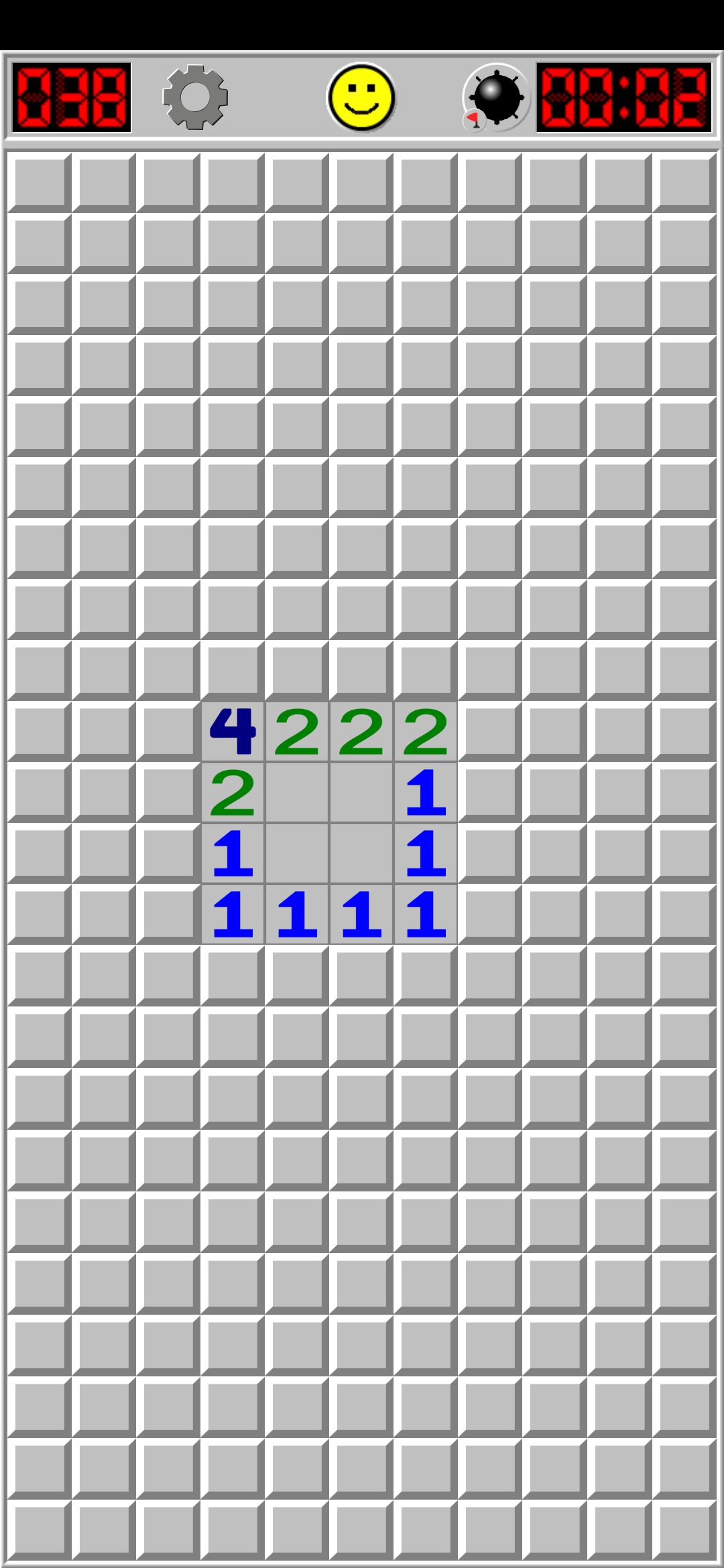
Windows 95-era Minesweeper aesthetic with raised 3D tile borders, clear grid lines, and high-contrast colors. The model was able to initiate the game and play moves, though it ultimately lost all three games.
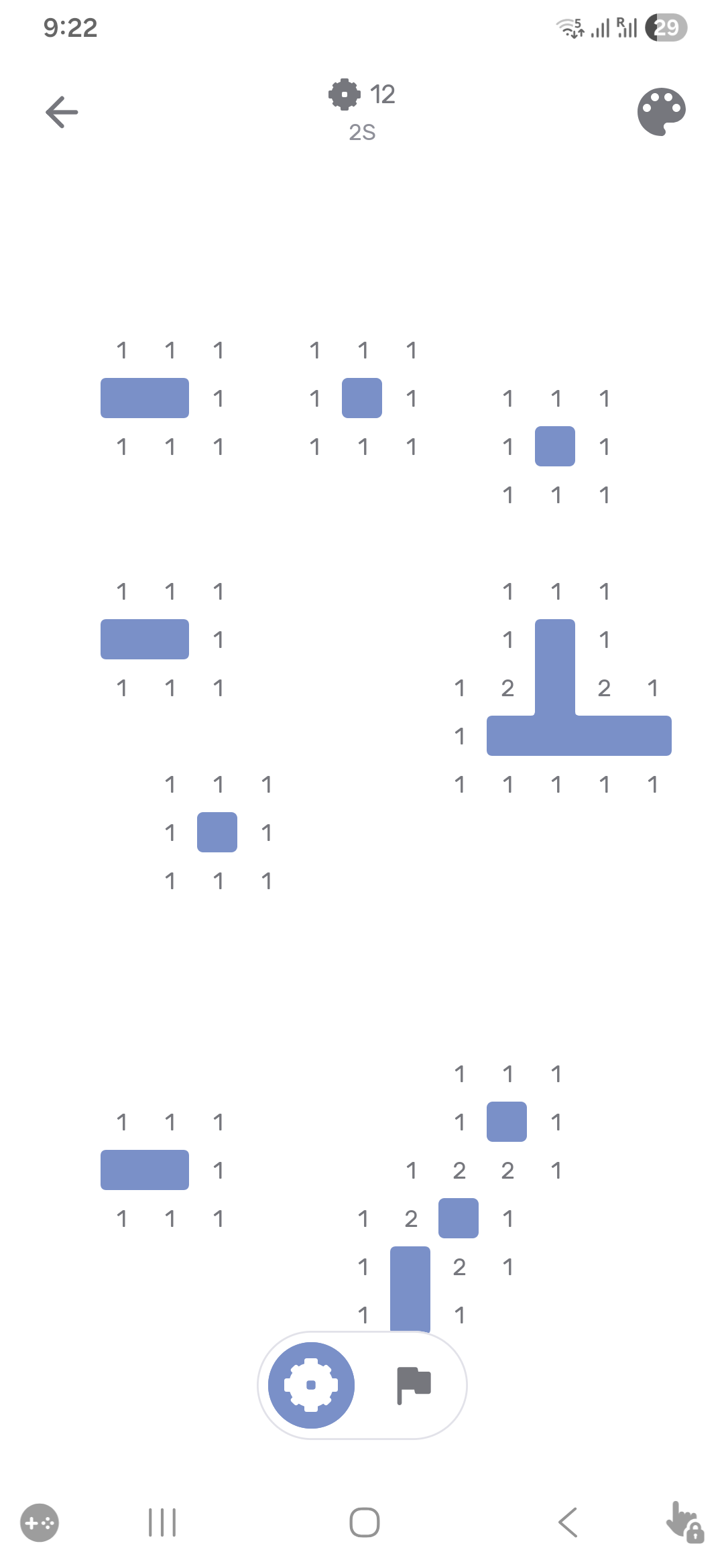
A modern, flat-design Minesweeper app with minimal borders and softer colors. The model couldn't even initiate the game — it took 10+ attempts just to click on a single cell. Without the coordinate grid, it hallucinated coordinates entirely.
Each tool call includes an optional
reason parameter where the model explains
its Minesweeper logic. Game 1 provided no explanations,
but Games 2 and 3 show surprisingly sophisticated
deductive reasoning — even though the model still lost.
reason parameter was not used). 0 of 18
tool calls included explanations.These case studies visually prove the core hypothesis: the model's logical deductions were correct, but its spatial perception and coordinate mapping were flawed.
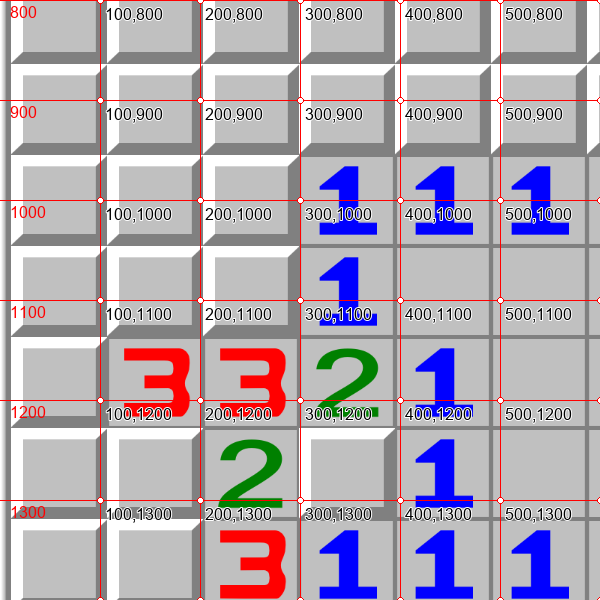
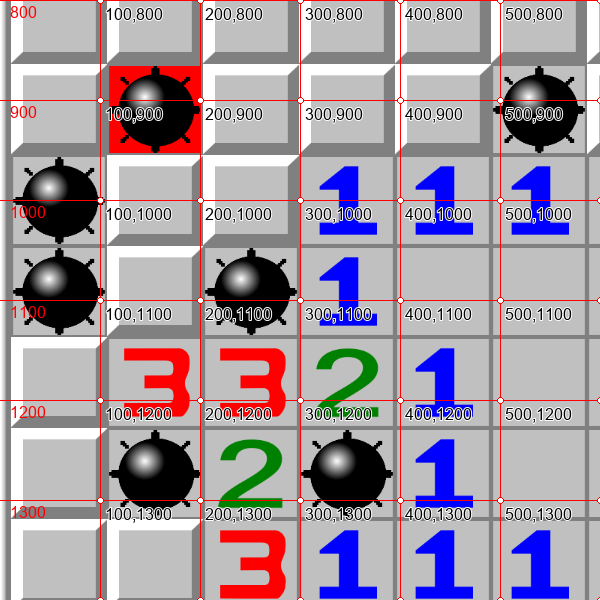
The model correctly deduced that Row 9, Column 2 was safe because the adjacent '1' at Row 10, Column 3 was already satisfied by a mine at Row 10, Column 2.
Instead of outputting the correct coordinate of (150, 1050) for Row 9, the model mapped Row 9 to y=950, which is actually Row 8. By calling tap(150, 950), it clicked the wrong row, hitting a mine and triggering an immediate Game Over.
(150, 1050)(150, 950) (Mine!)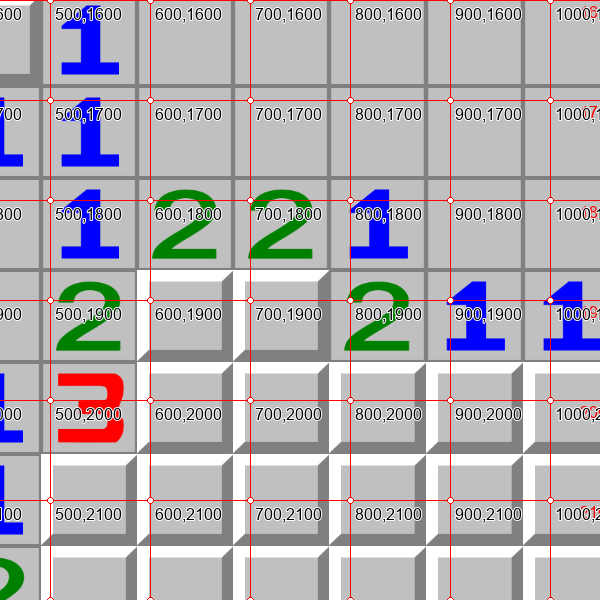
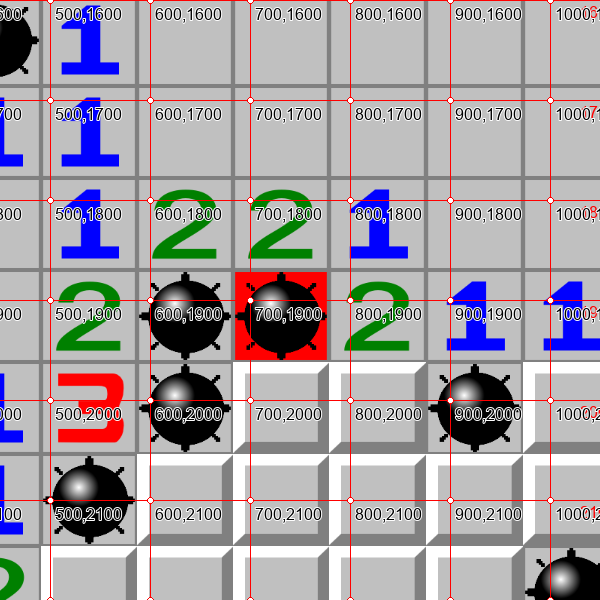
The model based its logic on a 1-1 pattern between C10, R19 (1) and C9, R19 (1). However, look closely at the crop: C9, R19 contains a green "2", not a "1"! The actual "1" was at C11, R19. Because it misread C9 as "1", its logical deduction was mathematically flawed from the start.
Here lies a double irony: despite its flawed logic, the model magically arrived at a correct conclusion—C8, R20 actually was safe (mine-free in reality, as revealed on game-over!). Yet, it still failed: it mapped Row 20 to y=1950 instead of y=2050. By calling tap(750, 1950), it clicked the wrong row (C8, R19), hitting a mine and triggering the explosion anyway.
1 (Actually 2)(750, 2050) (Actually Safe!)(750, 1950) (Mine!)All three games ended in a loss. The model consistently hit mines within 12-18 moves, despite the coordinate grid overlay and tool-calling architecture.
| Game | Model | Steps | Duration | Mines | UI Style | Reasons Given | Result |
|---|---|---|---|---|---|---|---|
| Game 1 | Gemini 3.5 Flash | 19 | ~23:35 | 38 | Classic (Retro) | 0 / 18 | ✕ Lost |
| Game 2 | Gemini 3.5 Flash | 17 | ~15:54 | 38 | Classic (Retro) | 16 / 16 | ✕ Lost |
| Game 3 | Gemini 3.5 Flash | 13 | ~15:23 | 38 | Classic (Retro) | 12 / 12 | ✕ Lost |
Three critical insights emerged from this experiment, each with significant implications for the future of AI-driven mobile automation.
The fact that an LLM could connect to a real Android device via ADB/uiautomator2, capture screenshots, reason about the UI, and execute touch actions demonstrates that mobile automation through coding agents is viable . This exposes a dramatic new set of capabilities beyond browser automation.
Despite Gemini 3.5 Flash being a strong vision model, it struggled with Minesweeper — a game that's conceptually straightforward. Vision-based "computer use" through screenshots alone is still unreliable. Just as CDP (Chrome DevTools Protocol) was a breakthrough for browser agents over pure screenshot-based approaches, mobile agents will need structured data access (like a DOM-equivalent for mobile apps) to be reliable.
When given Minesweeper as text/ASCII (like the chess experiment), the model would likely solve it easily. The failure isn't in reasoning — it's in visual spatial perception. This underscores that finding ways to extract structured data from mobile UIs (rather than relying on screenshots) will be the key enabler for practical mobile AI agents.
The minimal prompt and tool definitions used for the final (tool-calling) approach.
Every screenshot was overlaid with a 100px red coordinate grid before being sent to the model. This grid draws lines every 100 pixels, labels axis values along the edges, and plots coordinate text labels (e.g., "200,400") at every 100px intersection with a white dot marker. This was crucial — without it, the model hallucinated coordinates entirely and couldn't interact with the game at all. The Python implementation for generating this coordinate overlay can be viewed in image_utils.py ↗ .